
Steam Link
3.3star
51.5K reviews
10M+
Downloads

Everyone
info





About this app
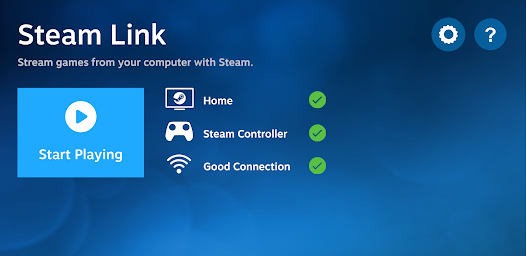
The Steam Link app brings desktop gaming to your Android device. Just pair a Bluetooth controller or Steam Controller to your device, connect to a computer running Steam, and start playing your existing Steam games.
For best performance with Android TV:
* Connect your computer using Ethernet to your router
* Connect your Android TV using Ethernet to your router
For best performance with tablets and phones:
* Connect your computer using Ethernet to your 5Ghz WiFi router
* Connect your Android device to the 5GHz band of your WiFi network
* Keep your Android device within a reasonable range of your router
For best performance with Android TV:
* Connect your computer using Ethernet to your router
* Connect your Android TV using Ethernet to your router
For best performance with tablets and phones:
* Connect your computer using Ethernet to your 5Ghz WiFi router
* Connect your Android device to the 5GHz band of your WiFi network
* Keep your Android device within a reasonable range of your router
Updated on
Safety starts with understanding how developers collect and share your data. Data privacy and security practices may vary based on your use, region, and age. The developer provided this information and may update it over time.

No data shared with third parties
Learn more about how developers declare sharing

This app may collect these data types
App info and performance

Data is encrypted in transit

Data can’t be deleted
Ratings and reviews
3.4
46.5K reviews

Esttro Thyris
- Flag inappropriate
January 23, 2026
Trying to play warframe, but it doesnt seem to want to launch... To be fair, it launches, I can HEAR it from the phone, but I can't see anything except for the steam link page with the green button that says "resume game" which if you click on, it still doesnt take you to the game. If I go to my computer however, and switch tabs, THEN the game shows up, but if I'm trying to launch/play games on my phone... that's kinda pointless. Runs beautifully though🤷🏾♂️
9 people found this review helpful

Elliot Caudill
- Flag inappropriate
March 27, 2026
This seems like a really good idea for an app, being able to use your computer from your phone to play games. To put that functionality into motion us the hard part though, having issues like: bad controls, static, buffering, or just not working at all. This app just needs work, a lot of it.

Seth Reddeth
- Flag inappropriate
January 22, 2025
3-stars for the fact that this exists. However, It requires me to connect all plug-ins/bluetooth devices to my actual PC in-order to use. I have a bluetooth mouse, keyboard, multiple controllers that successfully connect, and all of them work on all my devices. I can see the mouse pointer on the screen. Using my mouse (or finger for touch controls) do not respond to clicking once the games start, the keyboard, and controller only works when the game is not yet booted. Lots of fun potential tho.
76 people found this review helpful
What’s new
* Fixed performance issues with AV1 decoding on some devices
* Please report bugs and crashes here: https://steamcommunity.com/app/353380/discussions/4/
* Please report bugs and crashes here: https://steamcommunity.com/app/353380/discussions/4/
App support
About the developer
Valve Corporation
10400 NE 4TH St Ste 1400
Bellevue, WA 98004-5212
United States
+1 425-952-2986


