

Pujie Watch Faces - Wear OS 4-

4.5star
11K reviews

Everyone
info
100K+
Downloads





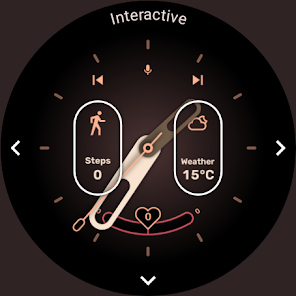


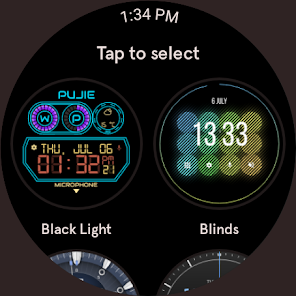
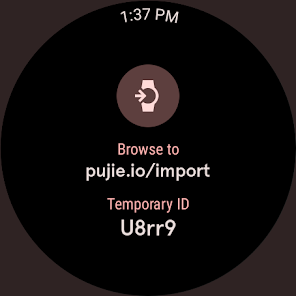

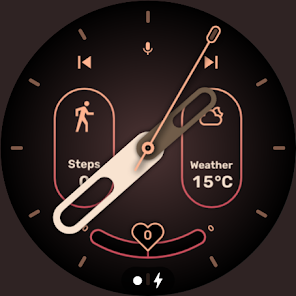
About this app
→ SMART WATCH COMPATIBILITY
This version is not compatible with the Galaxy Watch 7/8, the Galaxy Watch Ultra and the Pixel Watch 3. And will not be compatible with Wear OS 6 or newer watches. If you have a Wear OS 6 watch, check out:
Pujie Watch Faces - Wear OS 6
→
/store/apps/details?id=com.pujie.watchfaces
This version is fully compatible with all WearOS 2.x, 3.x & 4.x devices. Or watches which have been upgraded to Wear OS 5.
This includes the following:
• Samsung Galaxy Watch 4, 5 & 6
• Google Pixel Watch 1 & 2
• Fossil smartwatches
• Mobvoi TicWatch Series
→ ONLINE
https://pujie.io
Tutorials:
https://pujie.io/help/tutorials
Cloud Library:
https://pujie.io/library
Documentation:
https://pujie.io/documentation
→ INTERACTIVE WATCH FACE / LAUNCHER
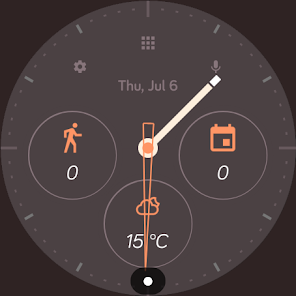
Pujie Watch Faces allows you to assign custom actions to a huge number of possible tap targets. The Tap drawer, a panel with 6 tap targets and all your custom elements make up to unlimited assignable tap targets! It's a watch face and launcher in one!
Choose from:
• The Calendar, Fitness, Weather view or The Tap Drawer
• Any installed watch or phone app or shortcut
• Tasker tasks!
• Watch or phone actions (volume, play/pause music, etc)
→ DESIGN
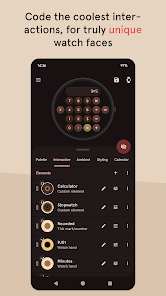
Design your own watch elements (watch hands, backgrounds, complications, custom elements) with the included watch element designer! Pujie Watch Faces has the most advanced watch face maker, supporting true vector graphics and images.
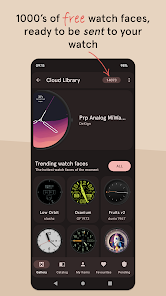
→ WATCH FACE LIBRARY
The watch face library is an online social library of watch faces and watch parts.
Read more:
https://pujie.io/library
→ WIDGET
Even when you don't own a smartwatch you can use Pujie Watch Faces. Use the same app to create a home screen clock widget!
→ KEY FEATURES
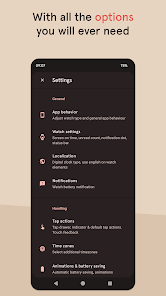
All settings are available using the Pujie Watch Faces phone app. Some settings are available from the configuration menu on the watch.
• 20+ watch faces to get you started
• Choose from 1500+ fonts
• Design your own watch elements
• Animated
• Tasker integration (variables & tasks)
• Start any watch or phone app
• Square, rectangular and round watches
• Calendar integration!
• Weather data, Celsius or Fahrenheit
• Phone and smartwatch battery status
• Multiple time zones
• Share your watch faces with others
• And much more
→ SUPPORT
!! Please don't rate us 1-star, just contact us. We respond mighty fast !!
https://pujie.io/help
How do I install the watch face?
1 Wear OS 2.x & Wear OS 3.x: Download the watch app from the Play Store on the watch.
2. Long press your watch and choose Pujie Watch Faces as your watch face, or select it using the WearOS app.
How do I activate a widget?
1. Long press your home screen or go to the widget section in the app drawer (depends on your launcher)
2. Choose Pujie Watch Faces.
3. Design a new style, or choose one of your designs
4. Place and re-size to your liking
This version is not compatible with the Galaxy Watch 7/8, the Galaxy Watch Ultra and the Pixel Watch 3. And will not be compatible with Wear OS 6 or newer watches. If you have a Wear OS 6 watch, check out:
Pujie Watch Faces - Wear OS 6
→
/store/apps/details?id=com.pujie.watchfaces
This version is fully compatible with all WearOS 2.x, 3.x & 4.x devices. Or watches which have been upgraded to Wear OS 5.
This includes the following:
• Samsung Galaxy Watch 4, 5 & 6
• Google Pixel Watch 1 & 2
• Fossil smartwatches
• Mobvoi TicWatch Series
→ ONLINE
https://pujie.io
Tutorials:
https://pujie.io/help/tutorials
Cloud Library:
https://pujie.io/library
Documentation:
https://pujie.io/documentation
→ INTERACTIVE WATCH FACE / LAUNCHER
Pujie Watch Faces allows you to assign custom actions to a huge number of possible tap targets. The Tap drawer, a panel with 6 tap targets and all your custom elements make up to unlimited assignable tap targets! It's a watch face and launcher in one!
Choose from:
• The Calendar, Fitness, Weather view or The Tap Drawer
• Any installed watch or phone app or shortcut
• Tasker tasks!
• Watch or phone actions (volume, play/pause music, etc)
→ DESIGN
Design your own watch elements (watch hands, backgrounds, complications, custom elements) with the included watch element designer! Pujie Watch Faces has the most advanced watch face maker, supporting true vector graphics and images.
→ WATCH FACE LIBRARY
The watch face library is an online social library of watch faces and watch parts.
Read more:
https://pujie.io/library
→ WIDGET
Even when you don't own a smartwatch you can use Pujie Watch Faces. Use the same app to create a home screen clock widget!
→ KEY FEATURES
All settings are available using the Pujie Watch Faces phone app. Some settings are available from the configuration menu on the watch.
• 20+ watch faces to get you started
• Choose from 1500+ fonts
• Design your own watch elements
• Animated
• Tasker integration (variables & tasks)
• Start any watch or phone app
• Square, rectangular and round watches
• Calendar integration!
• Weather data, Celsius or Fahrenheit
• Phone and smartwatch battery status
• Multiple time zones
• Share your watch faces with others
• And much more
→ SUPPORT
!! Please don't rate us 1-star, just contact us. We respond mighty fast !!
https://pujie.io/help
How do I install the watch face?
1 Wear OS 2.x & Wear OS 3.x: Download the watch app from the Play Store on the watch.
2. Long press your watch and choose Pujie Watch Faces as your watch face, or select it using the WearOS app.
How do I activate a widget?
1. Long press your home screen or go to the widget section in the app drawer (depends on your launcher)
2. Choose Pujie Watch Faces.
3. Design a new style, or choose one of your designs
4. Place and re-size to your liking
Updated on
Safety starts with understanding how developers collect and share your data. Data privacy and security practices may vary based on your use, region, and age. The developer provided this information and may update it over time.

No data shared with third parties
Learn more about how developers declare sharing

This app may collect these data types
Personal info, App activity and 2 others

Data is encrypted in transit

You can request that data be deleted
Ratings and reviews
4.6
10K reviews

Sakamoto Mio
- Flag inappropriate
January 27, 2026
~ I like the faces (however) the face creation process is horrendous, as it doesn't have a desktop version to use to make the faces, so making watch faces on the mobile is very tedious effort and experience (and I'm using a stylus as well) - then - there the constant issues with linking, it's hit and miss when trying to link to the watch itself. ~ I've been patient but,bits too much effort, so until there's the desktop version, I'll be waiting on it . . .
1 person found this review helpful

Naomi
- Flag inappropriate
Apr 17, 2026
I'd like more editing tools, such as masks and custom button shapes. Would also love more symbol options, as well as more tags for searching through symbols (such as the "favorites" symbol could also be searchable under "heart") and the ability to add custom symbols to the list. This app is fantastic, it allows a huge amount of customization and I've really enjoyed using it!!
23 people found this review helpful
Pujie
Apr 17, 2026
Thanks! Masks are already possible, did you see that? Custom button shapes too. And if you start typing a tag it will auto suggest tags at the bottom (sort of like search).. Contact me at [email protected] if you need any help

Chris M
- Flag inappropriate
July 5, 2023
I really liked this app a lot, I still use it and after a few hours can edit a decent watch face through some trial and error. But charging a monthly fee to access a community library, on top of already charging for the base app? That's not really how things should work. I'd be happy to pay for one or the other, probably wouldn't consider monthly for either though. A better model would be one time paid app, free cloud library, but offer "premium" faces as an in app purchase.
72 people found this review helpful
Pujie
January 10, 2024
Hi Chris, we took your advice. The Cloud Library is now completely free, so there is only the one time purchase of the app. Please have another look, I hope you will like it!
What’s new
→ v6.5.14
• Minor compatibility update
• Minor compatibility update
App support
About the developer


