
Information Block ZKin Watch
Contains ads
100+
Downloads

Everyone
info












About this app
🎁Add Telegram group to obtain remaining coupons :
https://t.me/zkinwatch
🎁Coupon Link :
https://www.facesapps.com/brand/327
🏠Other my works here:
/store/apps/dev?id=9082617204511160070
⌚️Instagram :
https://www.instagram.com/zkinwatchfaces?igsh=OHNuOHExbGliYWtm
⌚️Facebook :
https://www.facebook.com/share/1YFxgRMiqf/
The Watch supports running on Wear OS
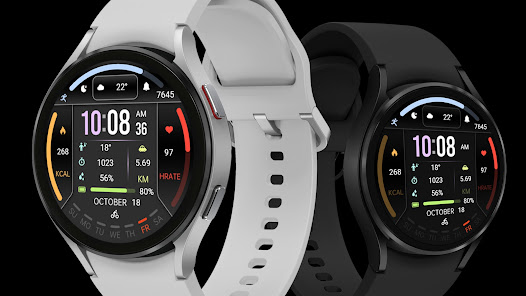
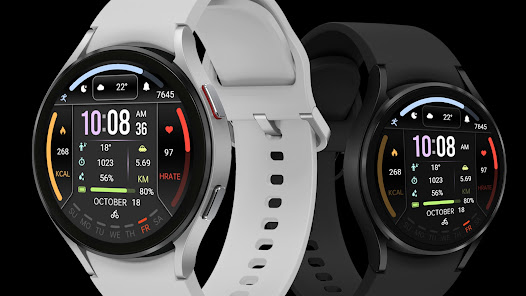
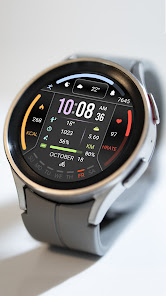
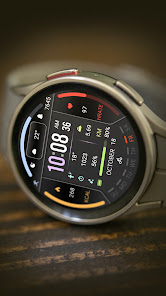
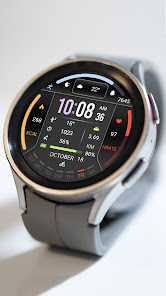
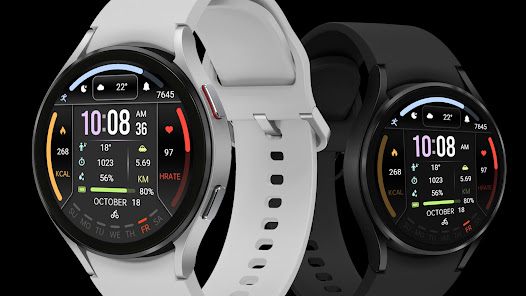
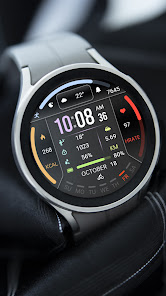
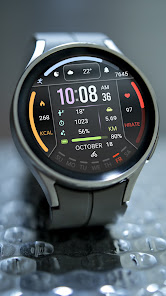
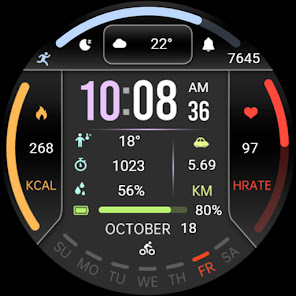
1. Top: Steps Target Percentage Progress, Steps, Custom APP, Custom Data
2. Central: Time, morning and afternoon, calories, heart rate, heart rate percentage progress, custom data, distance
3. Bottom: Battery level and percentage progress, date, custom app, week
Customization: Multiple customization areas are available for selection
Compatible devices: Pixel Watch, Galaxy Watch 4/5/6/7 and above, and other devices
How do I install the watch face on WearOS ?
1. Install it from Google Play Wear Store on your watch
2. Install the companion app for fully customization (Android phone devices)
https://t.me/zkinwatch
🎁Coupon Link :
https://www.facesapps.com/brand/327
🏠Other my works here:
/store/apps/dev?id=9082617204511160070
⌚️Instagram :
https://www.instagram.com/zkinwatchfaces?igsh=OHNuOHExbGliYWtm
⌚️Facebook :
https://www.facebook.com/share/1YFxgRMiqf/
The Watch supports running on Wear OS
1. Top: Steps Target Percentage Progress, Steps, Custom APP, Custom Data
2. Central: Time, morning and afternoon, calories, heart rate, heart rate percentage progress, custom data, distance
3. Bottom: Battery level and percentage progress, date, custom app, week
Customization: Multiple customization areas are available for selection
Compatible devices: Pixel Watch, Galaxy Watch 4/5/6/7 and above, and other devices
How do I install the watch face on WearOS ?
1. Install it from Google Play Wear Store on your watch
2. Install the companion app for fully customization (Android phone devices)
Updated on
Safety starts with understanding how developers collect and share your data. Data privacy and security practices may vary based on your use, region, and age. The developer provided this information and may update it over time.

No data shared with third parties
Learn more about how developers declare sharing

No data collected
Learn more about how developers declare collection

Committed to follow the Play Families Policy
What’s new
The Watch supports running on Wear OS
1. Top: Steps Target Percentage Progress, Steps, Custom APP, Custom Data
2. Central: Time, morning and afternoon, calories, heart rate, heart rate percentage progress, custom data, distance
3. Bottom: Battery level and percentage progress, date, custom app, week
Customization: Multiple customization areas are available for selection
Compatible devices: Pixel Watch, Galaxy Watch 4/5/6/7 and above, and other devices
1. Top: Steps Target Percentage Progress, Steps, Custom APP, Custom Data
2. Central: Time, morning and afternoon, calories, heart rate, heart rate percentage progress, custom data, distance
3. Bottom: Battery level and percentage progress, date, custom app, week
Customization: Multiple customization areas are available for selection
Compatible devices: Pixel Watch, Galaxy Watch 4/5/6/7 and above, and other devices
App support
About the developer


