
My CenturyLink
3.9star
66.9K reviews
1M+
Downloads

Everyone
info



About this app
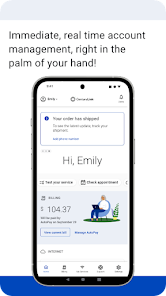
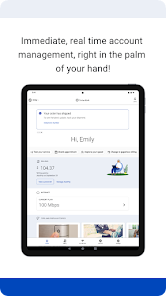
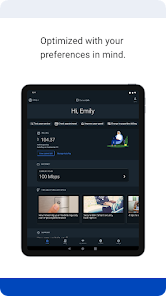
The My CenturyLink app brings management of your account and services into one easy place.
You can use the app to:
• Connect your new service quickly with modem self-install.
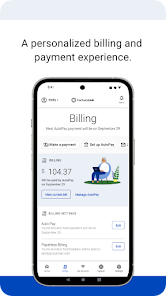
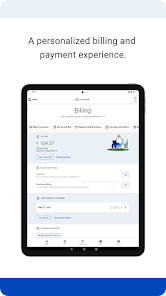
• View and manage your bill payment with convenience and ease.
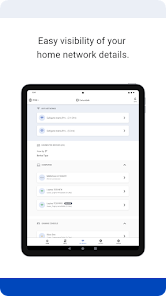
• Check your services, upgrade your Internet speed (if available in your area).
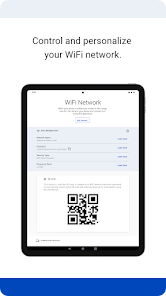
• Manage your settings.
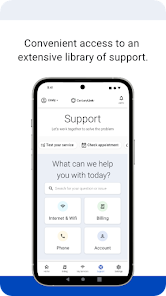
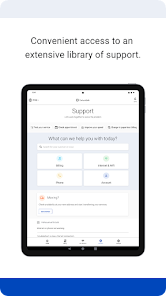
• Visit Support to troubleshoot or optimize your service through self-help tools and videos.
• Get personalized alerts, so you can see the status of your order, or find out if there is an interruption to your Internet service.
• Plus, so much more.
Additional features for our Secure WiFi customers (Secure WiFi is available on compatible modems leased from CenturyLink):
• Parental controls to guard against inappropriate web content.
• Pause and resume internet access of devices on our WiFi.
• Schedule online and offline times for devices and users.
Learn more about Secure WiFi by visiting https://centurylink.com/home/help/internet/secure-wifi
We're here to help! You can get in touch via http://www.centurylink.com/contact
You can use the app to:
• Connect your new service quickly with modem self-install.
• View and manage your bill payment with convenience and ease.
• Check your services, upgrade your Internet speed (if available in your area).
• Manage your settings.
• Visit Support to troubleshoot or optimize your service through self-help tools and videos.
• Get personalized alerts, so you can see the status of your order, or find out if there is an interruption to your Internet service.
• Plus, so much more.
Additional features for our Secure WiFi customers (Secure WiFi is available on compatible modems leased from CenturyLink):
• Parental controls to guard against inappropriate web content.
• Pause and resume internet access of devices on our WiFi.
• Schedule online and offline times for devices and users.
Learn more about Secure WiFi by visiting https://centurylink.com/home/help/internet/secure-wifi
We're here to help! You can get in touch via http://www.centurylink.com/contact
Updated on
Safety starts with understanding how developers collect and share your data. Data privacy and security practices may vary based on your use, region, and age. The developer provided this information and may update it over time.

No data shared with third parties
Learn more about how developers declare sharing

No data collected
Learn more about how developers declare collection

Data is encrypted in transit

You can request that data be deleted
Ratings and reviews
3.9
65.1K reviews

Joanne Havran
- Flag inappropriate
- Show review history
December 12, 2021
The options in the actual app are never what they show in the help topic. I use it to pay my bill/change my wifi password. When I actually find it I can't tell you how I got there. Sometimes it shows the options I want, sometimes it doesn't. 80% of the time, it is "experiencing technical difficulties" anyway. Several months ago it did not record my payments multiple times, even though I had the bank statements showing a deduction. They charged fees. It was a mess.
157 people found this review helpful
CenturyLink, Inc
December 28, 2021
I am sorry to hear the issues you have experienced with CenturyLink. Please feel free to email us details to [email protected] with reference number 22982139, and I will be happy to assist. ~Dusty

Tatjana Odins-Cape
- Flag inappropriate
October 6, 2023
Always experiencing technical difficulties, so "try back later". This app is useless. The only things I have been able to do (on the rare occasion that I have been able to get into it) is pay my bill twice and read an article. I can never find the info I'm looking for. I would think that such a large company might have an IT team that could reliably maintain an app for their customers.
67 people found this review helpful

Kevin Dodds
- Flag inappropriate
June 8, 2022
When trying to set up a replacement modem, QR codes and barcodes were too small to scan correctly. Going in to phone settings to connect to wifi, instructions said to go back to the app to finish setup, but what they meant was press the "back" button on the phone. Otherwise the setup app closes and you have to start completely over. Pretty typical CenturyLink quality, hence the 1-star rating.
93 people found this review helpful
CenturyLink, Inc
July 28, 2022
I am sorry to hear you have experienced issues with CenturyLink. We're always looking to improve your experience. Please feel free to email us details to [email protected] with reference number 38420285 as the subject, and we will be happy to assist. ~Josh
What’s new
With each new release, we are always resolving bugs and working on improvements to the visual design. This version includes:
• Minor updates and stability fixes.
As always, we're here to help! If you've encountered a problem, want to provide feedback, or require support, you can get in touch via https://www.centurylink.com/contact or on Twitter @CenturyLinkHelp
• Minor updates and stability fixes.
As always, we're here to help! If you've encountered a problem, want to provide feedback, or require support, you can get in touch via https://www.centurylink.com/contact or on Twitter @CenturyLinkHelp
App support
About the developer
Qwest Corporation
100 Centurylink Dr
Monroe, LA 71203
United States
+1 318-450-9431


