
TRON Dark: Watch face
4.4star
151 reviews
1K+
Downloads

Everyone
info
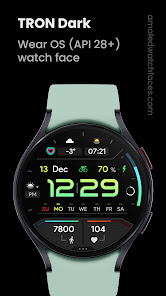
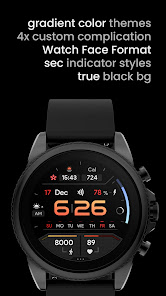
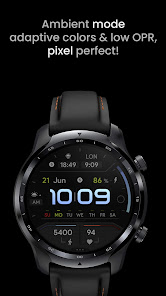
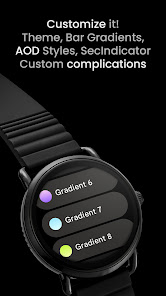

About this app
Only for Wear OS API 28+ devices
Powered by Watch Face Format
amoledwatchfaces.com
BUY ONE GET ONE OFFER!
amoledwatchfaces.com/bogo
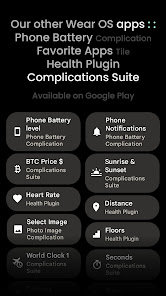
CUSTOM COMPLICATION APPS
amoledwatchfaces.com/apps
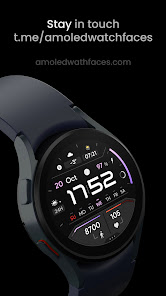
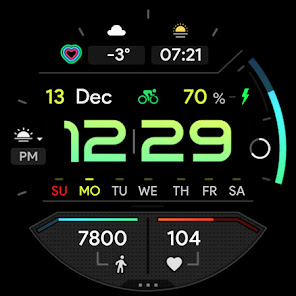
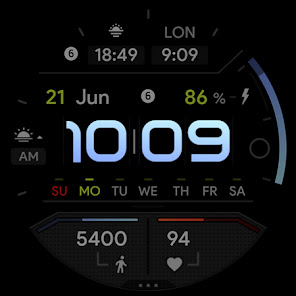
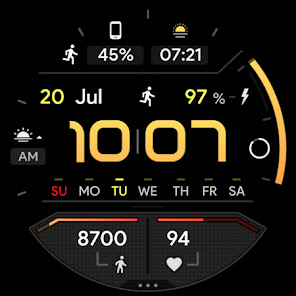
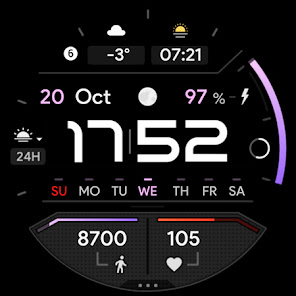
FEATURES
• Watch Face Format 1 / 2
• true black background
• progress circle seconds indicator
• charging / critical battery indicator
• high resolution
• day of week indicator
• moon phase indicator: https://bit.ly/3yuRwr1
• phone battery complication: https://bit.ly/3c31hoz
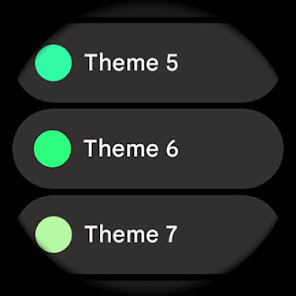
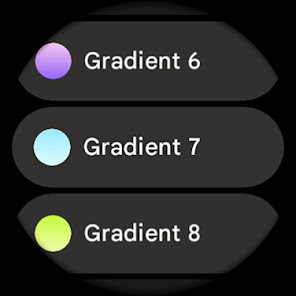
• many gradient color customization options
• colors editable in customization menu (savable color settings)
• PNGQuant optimized layers > battery friendly
• custom shortcut for preferable health app (steps)
• simple ambient mode with low OPR & adaptive colors
• 4x custom complication
BAR INDICATORS
• battery - % - 0 >> 100
• steps goal %
• heart rate - 50 >> 150 BPM
APP SHORTCUTS
• heart rate - tap to measure HR (watch needs to be on wrist)
• steps - open steps app
• am/pm - open alarm
• battery % - open battery status
• date - open calendar
USER CONFIGURATIONS
• Digital Gradient (10x Gradient, Tint, White)
• Steps Bar (10x Gradient, Tint, White)
• Battery Bar (10x Gradient, Tint, White)
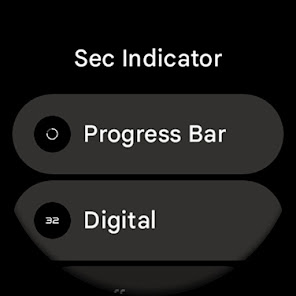
• Sec Indicator (Progress, Digital, Off)
• AOD Style (Dimmed, Time only)
• Color (20x)
• Custom complications (app shortcuts too)
Installation and troubleshooting guide
amoledwatchfaces.com/guide
Please send any issues reports or help requests to our support address
[email protected]
Join our Telegram group for live support and discussion
t.me/amoledwatchfaces
Newsletter
amoledwatchfaces.com/contact#newsletter
amoledwatchfaces™ - Awf
Powered by Watch Face Format
amoledwatchfaces.com
BUY ONE GET ONE OFFER!
amoledwatchfaces.com/bogo
CUSTOM COMPLICATION APPS
amoledwatchfaces.com/apps
FEATURES
• Watch Face Format 1 / 2
• true black background
• progress circle seconds indicator
• charging / critical battery indicator
• high resolution
• day of week indicator
• moon phase indicator: https://bit.ly/3yuRwr1
• phone battery complication: https://bit.ly/3c31hoz
• many gradient color customization options
• colors editable in customization menu (savable color settings)
• PNGQuant optimized layers > battery friendly
• custom shortcut for preferable health app (steps)
• simple ambient mode with low OPR & adaptive colors
• 4x custom complication
BAR INDICATORS
• battery - % - 0 >> 100
• steps goal %
• heart rate - 50 >> 150 BPM
APP SHORTCUTS
• heart rate - tap to measure HR (watch needs to be on wrist)
• steps - open steps app
• am/pm - open alarm
• battery % - open battery status
• date - open calendar
USER CONFIGURATIONS
• Digital Gradient (10x Gradient, Tint, White)
• Steps Bar (10x Gradient, Tint, White)
• Battery Bar (10x Gradient, Tint, White)
• Sec Indicator (Progress, Digital, Off)
• AOD Style (Dimmed, Time only)
• Color (20x)
• Custom complications (app shortcuts too)
Installation and troubleshooting guide
amoledwatchfaces.com/guide
Please send any issues reports or help requests to our support address
[email protected]
Join our Telegram group for live support and discussion
t.me/amoledwatchfaces
Newsletter
amoledwatchfaces.com/contact#newsletter
amoledwatchfaces™ - Awf
Updated on
Safety starts with understanding how developers collect and share your data. Data privacy and security practices may vary based on your use, region, and age. The developer provided this information and may update it over time.

No data shared with third parties
Learn more about how developers declare sharing

No data collected
Learn more about how developers declare collection
Ratings and reviews
4.4
119 reviews

Steve Bornstein
- Flag inappropriate
March 31, 2026
Love the way it looks and the features it has, but there's a weird bug on my Pixel Watch 4. Even though my watch is set for 12H time display, the AM/PM indicator to the left of the time still shows "24H" and I can't figure out how to change it. Would love to have more color and gradient options too!

Martin Levin
- Flag inappropriate
December 15, 2025
Used this watchface for years but now after an unscheduled wipe of the watch it's no longer "compatible". Worked fine earlier today but no longer and there's no alternative version or even an APK to side load. If you can get it it's highly recommended, but better hold on to it then since you never know when the dev decides to pull support all of the sudden.
amoledwatchfaces™
December 17, 2025
Hi Martin, starting from December 2025, all our watch faces are compatible only with Wear OS 4 and later devices. This is because our watch faces work only on Watch Face Format. Regards, Tomas | amoledwatchfaces.com

Jason Collins
- Flag inappropriate
- Show review history
July 31, 2022
Watch face looks great but there a few bugs to work out. It force closes on ticwatch pro 3 gps when sliding left to right when changing colors or complications. Also could not figure out how to get color icons on top complications. Would also like the ability to change the step counter and pulse complications. Would also like ability to remove the sun on the left 12/24 hour and have clock link to alarms or timers.
1 person found this review helpful
What’s new
v1.4.2
• week day names hotfix
v1.4.1
• watchface.xml optimizations
• added localized day names (Wear OS 5)
• HEART_RATE source type fix for Pixel Watches
v1.4.0
• raised targetSdk version
v1.3.8
• fixed day of week indicator
• minified watchface.xml
v1.3.6
• Time Only AOD fix
v1.3.5
• rebuilt in Android Studio using Watch Face Format 1
...
NOTE: Please consider full watch face reinstall in case you're having issues with custom complications after recent update.
• week day names hotfix
v1.4.1
• watchface.xml optimizations
• added localized day names (Wear OS 5)
• HEART_RATE source type fix for Pixel Watches
v1.4.0
• raised targetSdk version
v1.3.8
• fixed day of week indicator
• minified watchface.xml
v1.3.6
• Time Only AOD fix
v1.3.5
• rebuilt in Android Studio using Watch Face Format 1
...
NOTE: Please consider full watch face reinstall in case you're having issues with custom complications after recent update.
App support
About the developer
Tomáš Marcinčin - amoledwatchfaces™
51 Nižný Kručov
09301 Nižný Kručov
Slovakia
+421 952 033 959


