
Design Space: DIY with Cricut
In-app purchases
3.9star
85.3K reviews
5M+
Downloads

Everyone
info











About this app
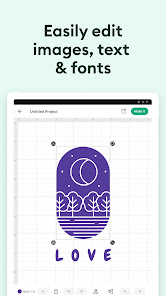
Enjoy total creative freedom over your next DIY project with Cricut Design Space™. Design, cut, or draw by connecting to Cricut Explore™ or Cricut Maker™ machines.
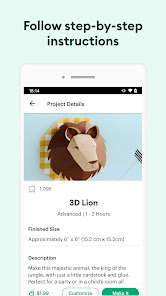
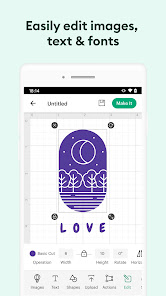
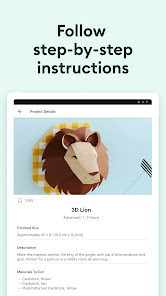
Start your project from scratch or browse thousands of images, ready-to-make projects, and unique fonts in the Cricut Image Library.
Create from anywhere, any time inspiration sparks with cloud-based syncing across devices.
Connect to your compatible Cricut cutting machine with a Bluetooth® connection.
Experience brand-new features like kerning, spell check, right-to-left text & more by upgrading your device to Android 9 or above.
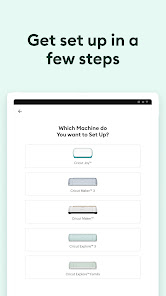
New to Cricut? Welcome! To use this companion Design Space app, first activate your new machine at cricut.com/setup
NEED HELP? WE'RE HERE FOR YOU.
Chat, call, or email Cricut Member Care
http://help.cricut.com
Use of the Cricut Design Space app is subject to terms at cricut.com/legal
Start your project from scratch or browse thousands of images, ready-to-make projects, and unique fonts in the Cricut Image Library.
Create from anywhere, any time inspiration sparks with cloud-based syncing across devices.
Connect to your compatible Cricut cutting machine with a Bluetooth® connection.
Experience brand-new features like kerning, spell check, right-to-left text & more by upgrading your device to Android 9 or above.
New to Cricut? Welcome! To use this companion Design Space app, first activate your new machine at cricut.com/setup
NEED HELP? WE'RE HERE FOR YOU.
Chat, call, or email Cricut Member Care
http://help.cricut.com
Use of the Cricut Design Space app is subject to terms at cricut.com/legal
Updated on
Safety starts with understanding how developers collect and share your data. Data privacy and security practices may vary based on your use, region, and age. The developer provided this information and may update it over time.


Ratings and reviews
3.9
71.8K reviews

Carla Crewe
- Flag inappropriate
July 20, 2025
The app always crashes the cutting machine most the time just rips my paper up so I think I spent more time and money and got nothing out of it. the machines are really expensive! And all I see on here is oh we're sorry about your experience blah blah blah then why don't you fix it. cuz I'm pretty mad that this was supposed to be a fun thing to do and turned into an expensive aggravating experience.
170 people found this review helpful
Cricut
August 1, 2025
Hi Carla, sorry this has been frustrating. Please check your material settings, blade, and mat condition, and ensure your app and firmware are up to date. If issues continue, contact us at cricut.com/contact with your device and machine info so we can help resolve this.

April Hoskins
- Flag inappropriate
March 29, 2026
Not sure what happened, but this has become a horrible machine and app! I've spent the last month trying to create products for fundraising for our non profit and can't get anywhere. Either the app crashes, the machine errors or shifts half way through cutting. I've literally spent HOURS a day and bags of material trying all the fixes and getting no where... The app isn't cheap either, I do not recommend investing in any of their products.

M K
- Flag inappropriate
January 27, 2026
Horrible app + machine combo. I cannot tell you how many times in my first week of owning my cricut joy extra that I have had to restart my machine and/or the app and/or my computer. The machine randomly throws codes and the app tells me to restart it, even though I did not move away from the machine for it to lose connection. When there's a firmware update, code. Can you just unplug it and restart the app? Nope. Restart your whole computer. There has got to be a better way. Who designed this.
16 people found this review helpful
Cricut
January 28, 2026
We sincerely apologize for the constant restarts and error codes with your new Joy Xtra. Our team is actively investigating these firmware and connectivity issues. Please report the specific error codes and your device details via Home → Help ❓ → Report a Bug so we can escalate and assist you immediately. Thank you for your patience.
App support
About the developer
Cricut, Inc.
10855 S River Front Pkwy Ste 300
South Jordan, UT 84095
United States
+1 510-396-7308


