
Business Calendar Pro

4.2star
34.6K reviews
500K+
Downloads

Everyone
info
Free with a Play Pass subscription Learn more


About this app
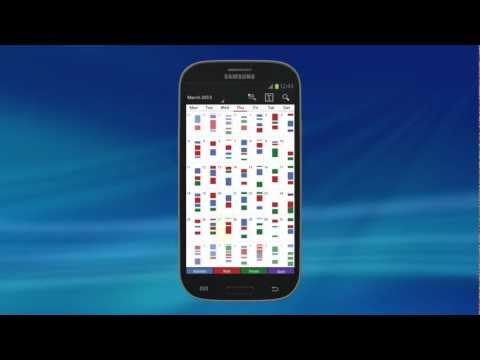
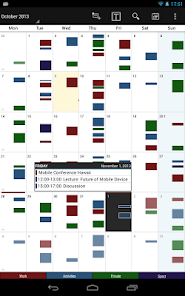
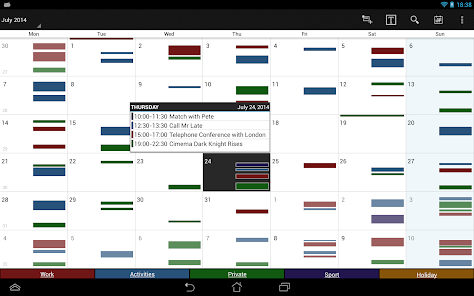
Business Calendar Pro has everything you need in a calendar app: It provides an excellent overview of your appointments, it’s easy to use and it gives you powerful tools to create and manipulate your events.
★ "Our favorite calendar app on Android, due to its flexibility and ease of use." - Lifehacker 01/2014 ★
★ "One of the best Calendar Apps for 2014" - FastCompany ★
Features
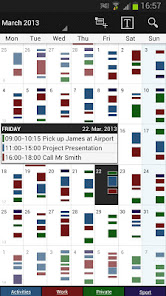
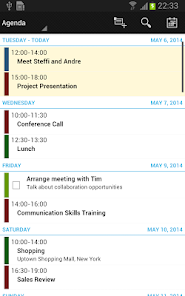
▪ Quick Day View: for a fast overview of all events of the day
▪ Favorite Bar: for direct access to all your calendars
▪ smooth scroll and zoom: for better, intuitive interaction
Customization down to the last detail
▪ adapt all views & widgets to your liking
▪ individual reminders with vibration, sounds, repetitions, intervals, LED
▪ adjustable font sizes for the app & widgets
Details
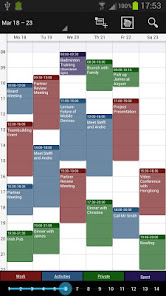
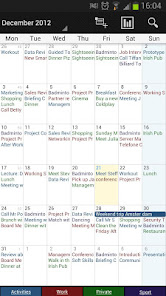
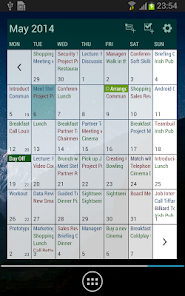
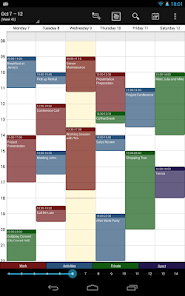
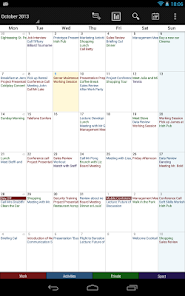
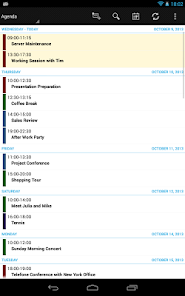
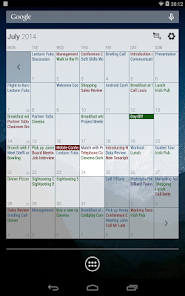
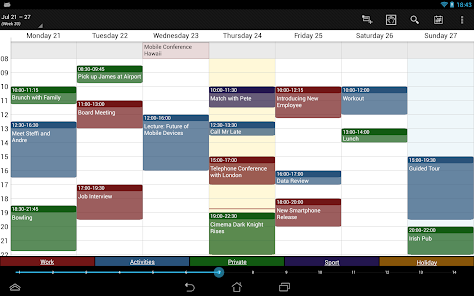
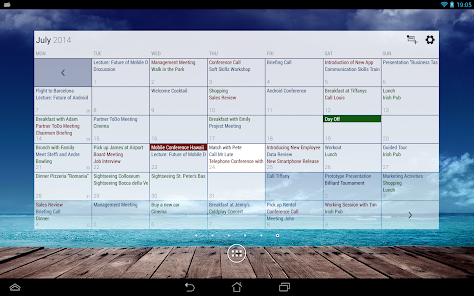
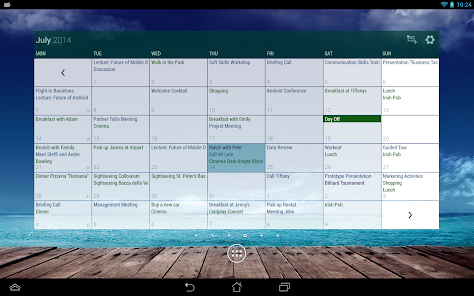
▪ month, week, day, agenda and event view
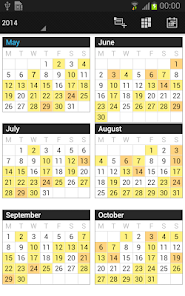
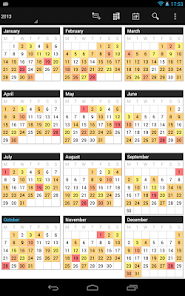
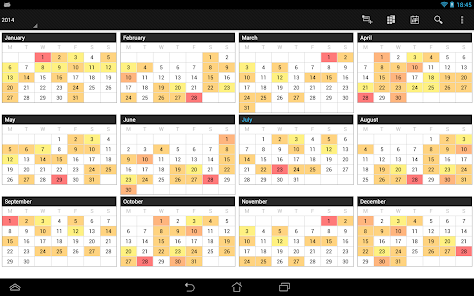
▪ color-coded year view
▪ scroll- and zoomable multi-day view (1-14 days)
▪ easy switching between timeline bars and event titles in month view
▪ search function
▪ sync your events with Google Calendar, Microsoft Outlook, Exchange etc. using the Android calendar synchronization
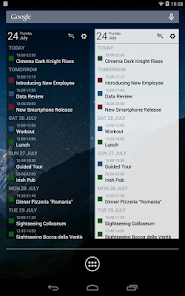
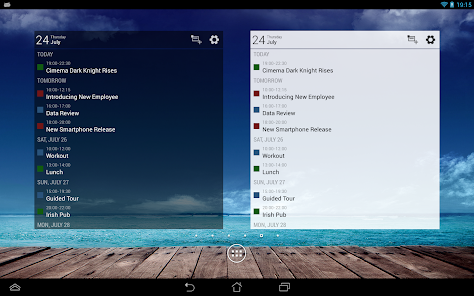
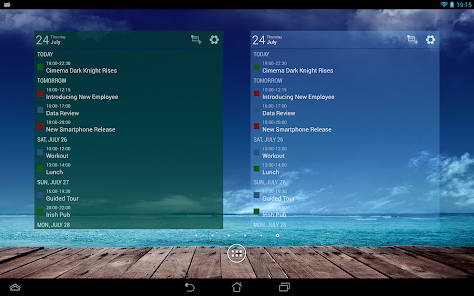
▪ professional widgets for month, week, agenda and day view
▪ intuitive handling: just move your finger over some days of interest in month view to open them in multi-day view
▪ many options for recurrent events (e.g. an event that takes place every other week on Tuesday and Thursday)
▪ birthday calendar
▪ context-sensitive help system to optimize your workflow
Additional features in this pro version
▪ manage contacts: link contacts to your events
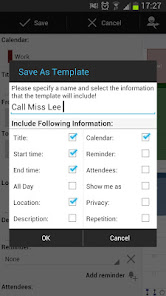
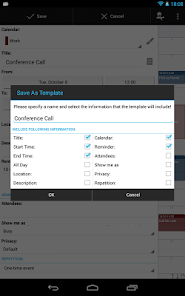
▪ customizable templates: create your own templates for new events
▪ multi-selection: delete, move or copy multiple events at once
▪ drag&drop: move and copy events easily in the multi-day view
▪ tasks add-on: use the integrated task-management tool to sync with Google Tasks & Toodledo
▪ notifications: comprehensive reminder functionality
▪ app theming: light and dark theme for the app
▪ advanced widgets: set colors, font sizes and individual calendars
▪ import & export: quickly import or export all your calendars in .ics format
We also offer a free, ad-supported version of Business Calendar, which we kindly advise you to test for the functionality and the general workflow of the app! We hope that in the long term the pro version result as indispensable for you if you use your mobile calendar regularly.
★ "Our favorite calendar app on Android, due to its flexibility and ease of use." - Lifehacker 01/2014 ★
★ "One of the best Calendar Apps for 2014" - FastCompany ★
Features
▪ Quick Day View: for a fast overview of all events of the day
▪ Favorite Bar: for direct access to all your calendars
▪ smooth scroll and zoom: for better, intuitive interaction
Customization down to the last detail
▪ adapt all views & widgets to your liking
▪ individual reminders with vibration, sounds, repetitions, intervals, LED
▪ adjustable font sizes for the app & widgets
Details
▪ month, week, day, agenda and event view
▪ color-coded year view
▪ scroll- and zoomable multi-day view (1-14 days)
▪ easy switching between timeline bars and event titles in month view
▪ search function
▪ sync your events with Google Calendar, Microsoft Outlook, Exchange etc. using the Android calendar synchronization
▪ professional widgets for month, week, agenda and day view
▪ intuitive handling: just move your finger over some days of interest in month view to open them in multi-day view
▪ many options for recurrent events (e.g. an event that takes place every other week on Tuesday and Thursday)
▪ birthday calendar
▪ context-sensitive help system to optimize your workflow
Additional features in this pro version
▪ manage contacts: link contacts to your events
▪ customizable templates: create your own templates for new events
▪ multi-selection: delete, move or copy multiple events at once
▪ drag&drop: move and copy events easily in the multi-day view
▪ tasks add-on: use the integrated task-management tool to sync with Google Tasks & Toodledo
▪ notifications: comprehensive reminder functionality
▪ app theming: light and dark theme for the app
▪ advanced widgets: set colors, font sizes and individual calendars
▪ import & export: quickly import or export all your calendars in .ics format
We also offer a free, ad-supported version of Business Calendar, which we kindly advise you to test for the functionality and the general workflow of the app! We hope that in the long term the pro version result as indispensable for you if you use your mobile calendar regularly.
Updated on
Safety starts with understanding how developers collect and share your data. Data privacy and security practices may vary based on your use, region, and age. The developer provided this information and may update it over time.

No data shared with third parties
Learn more about how developers declare sharing

No data collected
Learn more about how developers declare collection
Ratings and reviews
4.2
32.2K reviews

A Google user
- Flag inappropriate
July 24, 2019
I've been using this app for several years and across several phones. It's versatility in allowing me to customize, to color code 8 (more possible, i just only need the 8) different calendars, as well as to sync it across three separate phones in order to keep our busy family organized had been a lifesaver. The companion "tasks" app allows me to set reminders without adding an appointment to the calendar. Worth the upgrade from the free version!!!
12 people found this review helpful

Lisa G.
- Flag inappropriate
- Show review history
November 14, 2023
Edit - an annoying issue is the app won't give the option to dismiss an event when it notifies me. Just asks how long I want to snooze it. It will do this indefinitely and is beyond annoying. --- I've used Business Calendar for many years, started w/ the free app and was so happy w/ it I purchasing the Pro version. Both the free and pro versions are first class, outstanding apps - by far the best calendar app I've found, hands down. I'm happy to give 5 stars and my enthusiastic recommendation.
41 people found this review helpful
A Google user
- Flag inappropriate
July 24, 2019
I appreciate the ease of using this app as opposed to that which came with my phone. I especially like the calculator-like keyboard instead of the barrel-like rolling method of selection. The app syncs perfectly with Google calendar, so everything's backed up on my PC and tablet. The option to make templates for similar kinds of appointments is most helpful.
29 people found this review helpful
What’s new
- adaptations for newer Android versions
- bug fixes
- bug fixes
App support
About the developer
Appgenix Software UG (haftungsbeschränkt)
Schönhauser Allee 48
10437 Berlin
Germany
+49 30 75549629


