
Camera Scanner - PDF Scanner
In-app purchases

4.6star
33K reviews
1M+
Downloads

Everyone
info

About this app
Document, PDF, Picture, Paper Scanner, File Manager, Word & Excel File Editor
Camera Scanner is a portable scanner, fax machine, PDF converter, text extraction tool and document sharing platform, easily scan office documents quickly, easily and with great results.
----Main feature----
[Scanning]
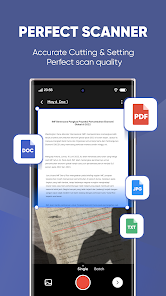
Photo docs, remove background, generate JPG or PDF.
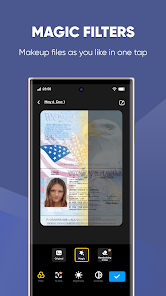
Various image processing modes, adjust manual parameters and convert hard copy to soft copy.
[Convert Image To Text]
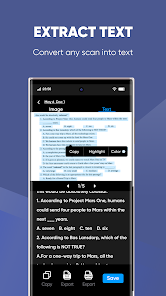
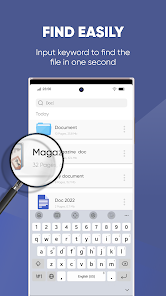
OCR recognition, photo docs, word finding via word search!
PRO account can read texts and export them into files that can be edited, copied, saved or shared, is a powerful tool for learning and translating foreign languages.
[Portable Docs Storage]
Access and manage docs via mobile, tablet, computer, etc.
Label categorization, manual annotation, add watermark and E-signature, docs encryption.
[Wireless Print, Global Fax]
Support wireless print and fax to different countries and regions.
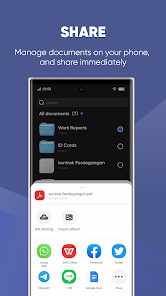
[Sharing Docs]
Super Office assistant, invite friends to view and comment on docs, and share them via email, link, or Weibo, WeChat, etc.
----- Upgrade to PRO account enjoy all advanced features-----
- Read and export text and notes on image whole docs into txt file
- Image merge feature: Merge certificates, invoices, practice questions into one
- Share docs in the form of encrypted links and set link validity time
- Upload docs to other cloud like Box, Google Drive, Dropbox, Evernote, OneDrive
- Support E-signature
- ID Scan Mode: Set scanned docs to paper, easy to copy data;
- Private folder: Save local docs and add password;
- Create PDF password: Open PDF sharing and add password, share secret files more secure!
- Remove ads & watermark: Remove ads across platforms and watermark docs
- Anti plagiarism: Add watermark to prevent abuse, illegal plagiarism, etc.
- Convert table to Excel: The captured table can be converted into a file.
----Suggestion for Use----
So that the scan results are clear, please:
- Make sure there is enough light, don't vibrate
- Try to take full picture of one camera screen
Access permission:
- Camera permission: Permission to use camera.
- Memory permission: Permission to save docs in phone.
If you like Camera Scanner or have any suggestions, please leave a comment or send an e-mail to [email protected], so we can improve the product!
Camera Scanner is a portable scanner, fax machine, PDF converter, text extraction tool and document sharing platform, easily scan office documents quickly, easily and with great results.
----Main feature----
[Scanning]
Photo docs, remove background, generate JPG or PDF.
Various image processing modes, adjust manual parameters and convert hard copy to soft copy.
[Convert Image To Text]
OCR recognition, photo docs, word finding via word search!
PRO account can read texts and export them into files that can be edited, copied, saved or shared, is a powerful tool for learning and translating foreign languages.
[Portable Docs Storage]
Access and manage docs via mobile, tablet, computer, etc.
Label categorization, manual annotation, add watermark and E-signature, docs encryption.
[Wireless Print, Global Fax]
Support wireless print and fax to different countries and regions.
[Sharing Docs]
Super Office assistant, invite friends to view and comment on docs, and share them via email, link, or Weibo, WeChat, etc.
----- Upgrade to PRO account enjoy all advanced features-----
- Read and export text and notes on image whole docs into txt file
- Image merge feature: Merge certificates, invoices, practice questions into one
- Share docs in the form of encrypted links and set link validity time
- Upload docs to other cloud like Box, Google Drive, Dropbox, Evernote, OneDrive
- Support E-signature
- ID Scan Mode: Set scanned docs to paper, easy to copy data;
- Private folder: Save local docs and add password;
- Create PDF password: Open PDF sharing and add password, share secret files more secure!
- Remove ads & watermark: Remove ads across platforms and watermark docs
- Anti plagiarism: Add watermark to prevent abuse, illegal plagiarism, etc.
- Convert table to Excel: The captured table can be converted into a file.
----Suggestion for Use----
So that the scan results are clear, please:
- Make sure there is enough light, don't vibrate
- Try to take full picture of one camera screen
Access permission:
- Camera permission: Permission to use camera.
- Memory permission: Permission to save docs in phone.
If you like Camera Scanner or have any suggestions, please leave a comment or send an e-mail to [email protected], so we can improve the product!
Updated on
Safety starts with understanding how developers collect and share your data. Data privacy and security practices may vary based on your use, region, and age. The developer provided this information and may update it over time.


Ratings and reviews
4.6
32.7K reviews

Emma Brickey
- Flag inappropriate
December 18, 2025
I have been charged twice now even though I don't use this app anymore, and I've contacted the support center multiple times, and they still have not reached back to me. I budget every month and only have a few dollars in my account after, so I'm constantly left with a negative balance after they change me. don't get the subscription if you don't want to be ignored when trying to cancel it.
3 people found this review helpful

Niña Mae Menguito
- Flag inappropriate
March 22, 2026
good quality, and easy to use

David Ross
- Flag inappropriate
March 15, 2026
I've done camera scanner and it's very good it can turn your image into magic and not blurred, and though it's not the original it's still perfect
What’s new
Looking for an efficient scanner app?
Try Camera Scanner! Camera Scanner is a new portable scanner, PDF converter, File Manager, Word & Excel File Editor, text extraction tool and document sharing platform, easily scan office documents quickly, easily and with great results.
Try Camera Scanner! Camera Scanner is a new portable scanner, PDF converter, File Manager, Word & Excel File Editor, text extraction tool and document sharing platform, easily scan office documents quickly, easily and with great results.
App support
phone
Phone number
+861082558818
About the developer
Youdao (Hong Kong) Limited
1/F XIU PING COML BLDG
104 JERVOIS ST
上環
Hong Kong
+86 155 2653 9390


