
Fake GPS Location Changer
Contains ads
0+
Downloads

Everyone
info




About this app
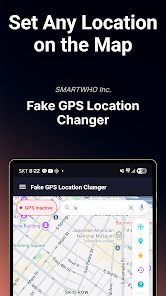
Fake GPS Location Changer lets you set your phone\'s GPS location to anywhere in the world. Whether you\'re a developer testing location-based apps, a QA tester verifying app behavior, or someone who values privacy, this app makes location testing simple and reliable.
Just pick a spot on the map, tap Start, and your device reports that location to all apps — no root required.
[Key Features]
• Fake GPS Anywhere — Tap any point on the map or search an address to set your GPS location instantly.
• One-Tap Start/Stop — Simple start and stop controls. No complicated setup or configuration needed.
• Search Worldwide — Search any address, city, landmark, or coordinates. Google Maps powered search with voice input support.
• Favorite Locations — Save frequently used locations for quick access. Star any location to add it to your favorites list.
• Location History — Automatically tracks your recently used mock locations. Quickly return to any previous location.
• Background Service — GPS spoofing continues running in the background with a persistent notification. Your fake location stays active even when using other apps.
• Realistic Simulation — Mock location updates with realistic accuracy (3–8m), altitude, and speed calculations for natural GPS behavior.
• Voice Search — Speak an address or place name to search hands-free.
• Map Types — Switch between Normal, Satellite, Terrain, and Hybrid map views.
• Dark Mode — Full dark theme support that follows your system preference.
[How to Use]
1. Enable Developer Options on your device (Settings → About Phone → tap Build Number 7 times)
2. Go to Developer Options → Select Mock Location App → Choose \"Fake GPS Location Changer\"
3. Open the app, select a location on the map or search for an address
4. Tap the Start button — your GPS location is now changed!
5. To stop, tap the Stop button or use the notification action
[Perfect For]
• Developers — Test location-based features in your apps without physically traveling.
• QA Testers — Verify app behavior at different locations worldwide.
• Privacy — Keep your real location private while using apps.
• Social Media — Share posts from any location around the world.
• Travel Planning — Preview locations before you visit.
[Setup Guide Built In]
Not sure how to enable mock locations? The app includes a step-by-step visual guide that walks you through the entire setup process. From enabling Developer Options to selecting the mock location app — everything is explained clearly.
[Technical Details]
• Works with GPS, Network, and Fused location providers
• Foreground service ensures reliable continuous operation
• Updates mock location every second for consistent spoofing
• Compatible with Android 8.0 (Oreo) and above
• No root access required
• Minimal battery usage
[Tips for Best Results]
• Set Location Mode to \"Device only\" (GPS only) for most reliable spoofing
• Some apps may detect mock locations — this is a system limitation
• Close and reopen target apps after starting GPS spoofing
• Use Wi-Fi or mobile data for address search functionality
Your feedback helps us improve! Please leave a review if you find this app useful.
[Disclaimer]
This app is intended for legitimate purposes such as development testing, privacy protection, and entertainment. Please use responsibly and in compliance with applicable laws and terms of service. The developer is not responsible for any misuse of this application.
Just pick a spot on the map, tap Start, and your device reports that location to all apps — no root required.
[Key Features]
• Fake GPS Anywhere — Tap any point on the map or search an address to set your GPS location instantly.
• One-Tap Start/Stop — Simple start and stop controls. No complicated setup or configuration needed.
• Search Worldwide — Search any address, city, landmark, or coordinates. Google Maps powered search with voice input support.
• Favorite Locations — Save frequently used locations for quick access. Star any location to add it to your favorites list.
• Location History — Automatically tracks your recently used mock locations. Quickly return to any previous location.
• Background Service — GPS spoofing continues running in the background with a persistent notification. Your fake location stays active even when using other apps.
• Realistic Simulation — Mock location updates with realistic accuracy (3–8m), altitude, and speed calculations for natural GPS behavior.
• Voice Search — Speak an address or place name to search hands-free.
• Map Types — Switch between Normal, Satellite, Terrain, and Hybrid map views.
• Dark Mode — Full dark theme support that follows your system preference.
[How to Use]
1. Enable Developer Options on your device (Settings → About Phone → tap Build Number 7 times)
2. Go to Developer Options → Select Mock Location App → Choose \"Fake GPS Location Changer\"
3. Open the app, select a location on the map or search for an address
4. Tap the Start button — your GPS location is now changed!
5. To stop, tap the Stop button or use the notification action
[Perfect For]
• Developers — Test location-based features in your apps without physically traveling.
• QA Testers — Verify app behavior at different locations worldwide.
• Privacy — Keep your real location private while using apps.
• Social Media — Share posts from any location around the world.
• Travel Planning — Preview locations before you visit.
[Setup Guide Built In]
Not sure how to enable mock locations? The app includes a step-by-step visual guide that walks you through the entire setup process. From enabling Developer Options to selecting the mock location app — everything is explained clearly.
[Technical Details]
• Works with GPS, Network, and Fused location providers
• Foreground service ensures reliable continuous operation
• Updates mock location every second for consistent spoofing
• Compatible with Android 8.0 (Oreo) and above
• No root access required
• Minimal battery usage
[Tips for Best Results]
• Set Location Mode to \"Device only\" (GPS only) for most reliable spoofing
• Some apps may detect mock locations — this is a system limitation
• Close and reopen target apps after starting GPS spoofing
• Use Wi-Fi or mobile data for address search functionality
Your feedback helps us improve! Please leave a review if you find this app useful.
[Disclaimer]
This app is intended for legitimate purposes such as development testing, privacy protection, and entertainment. Please use responsibly and in compliance with applicable laws and terms of service. The developer is not responsible for any misuse of this application.
Updated on
Safety starts with understanding how developers collect and share your data. Data privacy and security practices may vary based on your use, region, and age. The developer provided this information and may update it over time.


What’s new
[ Version 1.3.0 ]
- Set fake GPS location anywhere on the map
- One-tap start/stop mock location
- Search addresses worldwide with voice input
- Save favorite locations for quick access
- Location history with timestamps
- Enter coordinates directly (lat/lng)
- Background service with notification
- Step-by-step setup guide
- Dark mode support
- Improved map crosshair accuracy
- Enhanced ad mediation with 6 networks
- Improved in-app review experience
- Set fake GPS location anywhere on the map
- One-tap start/stop mock location
- Search addresses worldwide with voice input
- Save favorite locations for quick access
- Location history with timestamps
- Enter coordinates directly (lat/lng)
- Background service with notification
- Step-by-step setup guide
- Dark mode support
- Improved map crosshair accuracy
- Enhanced ad mediation with 6 networks
- Improved in-app review experience
App support
About the developer
주식회사 스마트후
대한민국 서울특별시 강동구
강동구 명일로 172, 103동 2202호 (둔촌동,둔촌푸르지오아파트)
05360
+82 10-9205-1789


