
athenaPatient
4.8star
62.8K reviews
1M+
Downloads

Everyone
info




About this app
athenaPatient is only available for patients whose healthcare providers have instructed them to download and use the app.
Access your health information and communicate with your care team anywhere, anytime.* athenaPatient is a convenient, mobile resource that allows you to:
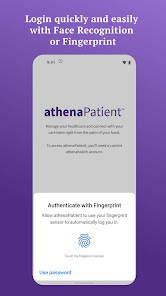
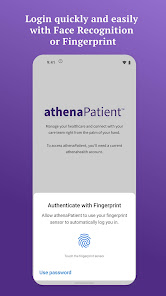
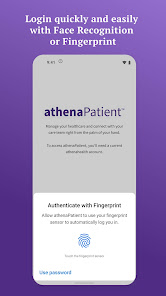
- Log in quickly – Facial recognition and touch ID make log in easy while keeping your data safe.
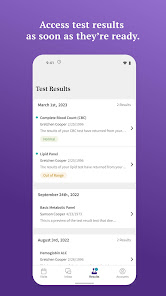
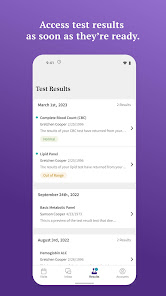
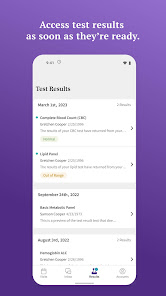
- View test results – Access lab, imaging, and other medical test results as soon as they become available.
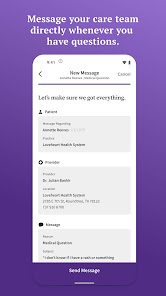
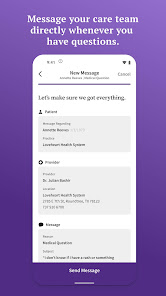
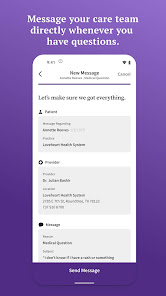
- Message your care team – Contact your care team whenever you have questions through quick, secure direct messages.
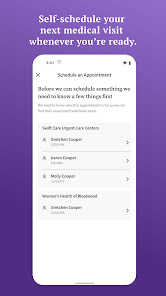
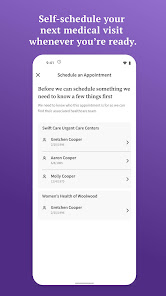
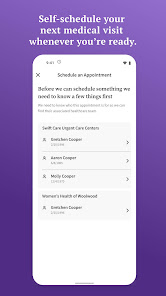
- Self-schedule appointments – Book appointments with your care team and view upcoming visits beyond regular office hours. Your provider(s) must support Self-Scheduling to use this feature.
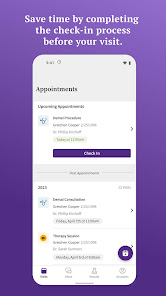
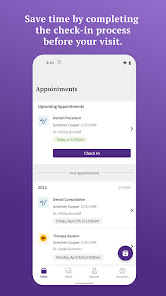
- Check in before your visit – Easily check in for appointments and save time by completing any necessary documentation before your arrival. (Your provider(s) must support Self Check-In to use this feature)
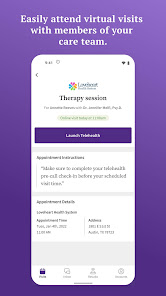
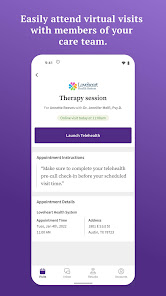
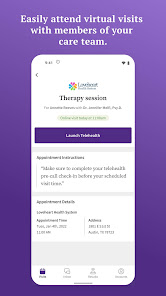
- Attend virtual visits – Easily initiate and attend telehealth visits with members of your care team. (Your provider(s) must support virtual visits through athenaTelehealth to use this feature.)
- Get directions to appointments – Driving directions show you how to get to your next medical appointment.
Please note that you must have an existing athenahealth Patient Portal account to use athenaPatient.
Once you’ve downloaded and launched athenaPatient, you must log in using the same email address and password you use to access your provider’s athenahealth Patient Portal to begin using the app. It will ask if you want to enable Face ID or Touch ID. Enabling either of these features will save you from having to enter your login information every time you want to use the app.
If you do not have your Patient Portal account information, your healthcare provider(s) may offer Patient Portal access through their website.
If you’re having issues finding your healthcare provider’s Patient Portal, you can contact their office for the correct URL, or to request an email invitation to their Patient Portal.
* The athenaPatient app is only available for download and viewing information in the United States for patients of healthcare providers on the athenahealth network.
Access your health information and communicate with your care team anywhere, anytime.* athenaPatient is a convenient, mobile resource that allows you to:
- Log in quickly – Facial recognition and touch ID make log in easy while keeping your data safe.
- View test results – Access lab, imaging, and other medical test results as soon as they become available.
- Message your care team – Contact your care team whenever you have questions through quick, secure direct messages.
- Self-schedule appointments – Book appointments with your care team and view upcoming visits beyond regular office hours. Your provider(s) must support Self-Scheduling to use this feature.
- Check in before your visit – Easily check in for appointments and save time by completing any necessary documentation before your arrival. (Your provider(s) must support Self Check-In to use this feature)
- Attend virtual visits – Easily initiate and attend telehealth visits with members of your care team. (Your provider(s) must support virtual visits through athenaTelehealth to use this feature.)
- Get directions to appointments – Driving directions show you how to get to your next medical appointment.
Please note that you must have an existing athenahealth Patient Portal account to use athenaPatient.
Once you’ve downloaded and launched athenaPatient, you must log in using the same email address and password you use to access your provider’s athenahealth Patient Portal to begin using the app. It will ask if you want to enable Face ID or Touch ID. Enabling either of these features will save you from having to enter your login information every time you want to use the app.
If you do not have your Patient Portal account information, your healthcare provider(s) may offer Patient Portal access through their website.
If you’re having issues finding your healthcare provider’s Patient Portal, you can contact their office for the correct URL, or to request an email invitation to their Patient Portal.
* The athenaPatient app is only available for download and viewing information in the United States for patients of healthcare providers on the athenahealth network.
Updated on
Safety starts with understanding how developers collect and share your data. Data privacy and security practices may vary based on your use, region, and age. The developer provided this information and may update it over time.

No data shared with third parties
Learn more about how developers declare sharing

This app may collect these data types
Location, Personal info and 6 others

Data is encrypted in transit

Data can’t be deleted
Ratings and reviews
4.8
62.4K reviews

Arabella Stachura
- Flag inappropriate
March 20, 2026
My only complaint is that appointments scheduled directly with my provider don't show up in the app. I had an appointment on the 4th. When I left, I spoke with the receptionist to set up another appointment on the 26th. I have gotten the automated calls from the office confirming the appointment, but it's not showing in my "upcoming appointments" in the app (for a timeline, today is the 20th).
1 person found this review helpful

Harold (Hoss) Jefferies
- Flag inappropriate
June 18, 2025
For non-emergency concerns, medical questions, refills, follow up concerns, the app is great. It lets my provider and me quickly read messages and respond at our convenience. I especially like it for those times when I am not sure whether I need to come in. I can type, "Hey, doc, it hurts when I do this," and she can reply, "I think you need to be seen," or just, "Don't do that," as appropriate.
124 people found this review helpful

Kelly Nasdeo
- Flag inappropriate
March 27, 2023
Doesn't work & no tech support. I already have an account with Athena through my physician. I downloaded the app, opened to screen to login page, clicked, opened a second login screen where it asked for my credentials. Entered those & received "something went wrong. It looks like there was a hiccup on our end and we're unable to log you in. Please try again in a few moments". Of course it doesn't matter how long I wait, I receive the same error endlessly.
84 people found this review helpful
athenahealth
March 27, 2023
Hi Kelly, thank you for reaching out. You will need to complete the full registration for your Patient Portal account from a desktop computer, including registration and verification, in order to access the athenaPatient app. Once you complete that step, you should be able to login without looping and getting the error message. - athenaPatient Team
What’s new
- Bug fixes and improvements
App support
About the developer


