
SPORT xR: Watch face
4.2star
168 reviews
5K+
Downloads

Everyone
info
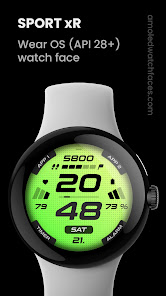
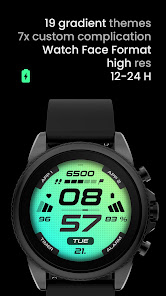
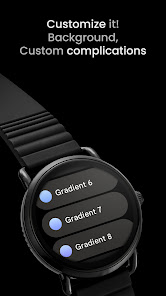
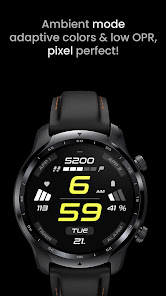
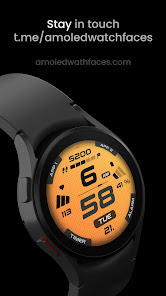


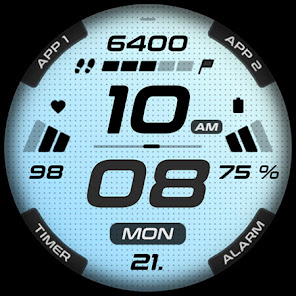
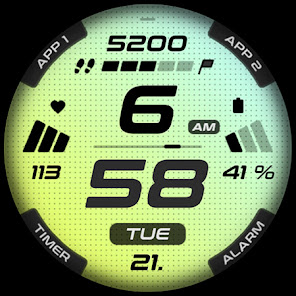
About this app
Only for Wear OS API 28+ devices
Powered by Watch Face Format
amoledwatchfaces.com
BUY ONE GET ONE OFFER!
amoledwatchfaces.com/bogo
CUSTOM COMPLICATION APPS
amoledwatchfaces.com/apps
FEATURES
• Watch Face Format 1 / 2
• true black background
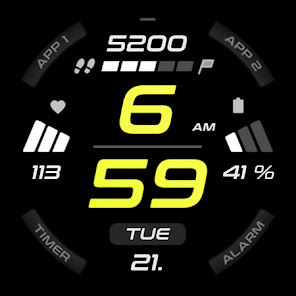
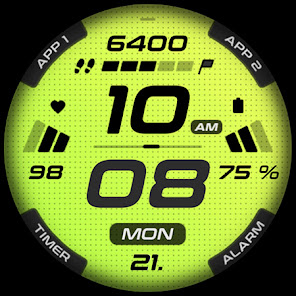
• sporty design
• created for fitness addicted / active people
• high resolution
• PNGQuant optimized layers > battery friendly
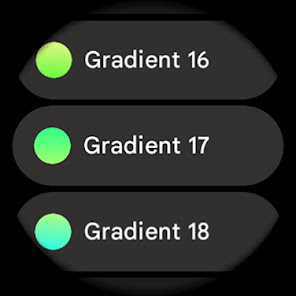
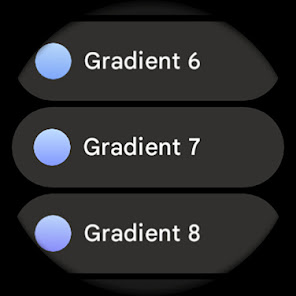
• gradient background styles with 19 colors
• custom shortcut for preferable health app
• ambient mode with low OPR & adaptive color & two styles
• multilanguage day of week
• 4x custom app shortcuts
• 12 / 24 H time based on phone time setting
• am/pm/24h indicator
CUSTOM APP SHORTCUTS
• APP1 / APP2
• custom timer / alarm app
• custom shortcut on hours tap
APP SHORTCUTS
• heart rate icon - tap to open Heart Rate activity
• date - open calendar
• digital hours - set custom app
USER CONFIGURATIONS
• Background (19 Gradients)
• AOD Style (Dimmed, Time Only)
• App shortcuts (5x)
• Custom Complications
Installation and troubleshooting guide
amoledwatchfaces.com/guide
Please send any issues reports or help requests to our support address
[email protected]
Join our Telegram group for live support and discussion
t.me/amoledwatchfaces
Newsletter
amoledwatchfaces.com/contact#newsletter
amoledwatchfaces™ - Awf
Powered by Watch Face Format
amoledwatchfaces.com
BUY ONE GET ONE OFFER!
amoledwatchfaces.com/bogo
CUSTOM COMPLICATION APPS
amoledwatchfaces.com/apps
FEATURES
• Watch Face Format 1 / 2
• true black background
• sporty design
• created for fitness addicted / active people
• high resolution
• PNGQuant optimized layers > battery friendly
• gradient background styles with 19 colors
• custom shortcut for preferable health app
• ambient mode with low OPR & adaptive color & two styles
• multilanguage day of week
• 4x custom app shortcuts
• 12 / 24 H time based on phone time setting
• am/pm/24h indicator
CUSTOM APP SHORTCUTS
• APP1 / APP2
• custom timer / alarm app
• custom shortcut on hours tap
APP SHORTCUTS
• heart rate icon - tap to open Heart Rate activity
• date - open calendar
• digital hours - set custom app
USER CONFIGURATIONS
• Background (19 Gradients)
• AOD Style (Dimmed, Time Only)
• App shortcuts (5x)
• Custom Complications
Installation and troubleshooting guide
amoledwatchfaces.com/guide
Please send any issues reports or help requests to our support address
[email protected]
Join our Telegram group for live support and discussion
t.me/amoledwatchfaces
Newsletter
amoledwatchfaces.com/contact#newsletter
amoledwatchfaces™ - Awf
Updated on
Safety starts with understanding how developers collect and share your data. Data privacy and security practices may vary based on your use, region, and age. The developer provided this information and may update it over time.

No data shared with third parties
Learn more about how developers declare sharing

No data collected
Learn more about how developers declare collection
Ratings and reviews
4.0
91 reviews

Josh Hickerson
- Flag inappropriate
- Show review history
April 1, 2024
The watch face in itself is nice, maybe one of my favorites. But not being able to have an option to see weather or temperature is a game killer for me. Then there is the app 1 and app 2, it doesn't change once you customize it. I would had maybe left 2 star but at this point I can't get a refund. Almost a perfect watchface.
amoledwatchfaces™
April 3, 2024
Hello, you can set weather on top with Google Weather app. Some weather apps does not have RANGED_VALUE complitcation type support. APP 1 / APP 2 is currently fixed. This will be improved in the future.
To get a refund, please contact us at [email protected] with your GPA purchase receipt. Tomas

Andrei Marinescu
- Flag inappropriate
- Show review history
August 1, 2025
Great watch face... The only complaint, the text can't be changed for the 4 app shortcuts in the top and bottom corners, I have to remember what I've assigned to App 1, App 2, Timer and Alarm, which is a bit annoying at times. If this would be changed, and the corner shortcuts would actually show the name of the actual shortcut assigned, this would be easily a 5 star rated watch face.

Michael Rasmussen
- Flag inappropriate
April 1, 2024
I love it except for the heart rate. It gets stuck on a number and doesn't change unless you reboot the watch. And, of course you can't change it to a different complication. Other than that it's visually appealing and easy to read. I love all the different colors/ gradients. If they can get the heart rate to work properly I would give it five stars!
1 person found this review helpful
amoledwatchfaces™
April 3, 2024
Hello, Heart Rate widgets will be converted to heart rate complication with the upcoming Wear OS update. Heart Rate freezing is a Pixel Watch bug. It happens when you enter customization screen. Temporary workaround is to switch to another watch face and back. Google is reportedly working on a fix. Tomas | amoledwatchfaces.com
What’s new
v1.5.2 (API 34+)
• heart rate replaced with custom complication (defaults to HEART_RATE system one)
• added Wear OS 5 Flavors
• optimizations
v1.5.1
• complication slot improvements
v1.5.0
• minified watchface.xml
v1.4.7
• AOD PartDraw state change fix attempt
v1.4.5
• rebuilt in Android Studio using Watch Face Format 1
• hugely optimized
• decreased aab size, removed unused resources
• two new custom complications
...
• heart rate replaced with custom complication (defaults to HEART_RATE system one)
• added Wear OS 5 Flavors
• optimizations
v1.5.1
• complication slot improvements
v1.5.0
• minified watchface.xml
v1.4.7
• AOD PartDraw state change fix attempt
v1.4.5
• rebuilt in Android Studio using Watch Face Format 1
• hugely optimized
• decreased aab size, removed unused resources
• two new custom complications
...
App support
About the developer
Tomáš Marcinčin - amoledwatchfaces™
51 Nižný Kručov
09301 Nižný Kručov
Slovakia
+421 952 033 959


